Video Sprites
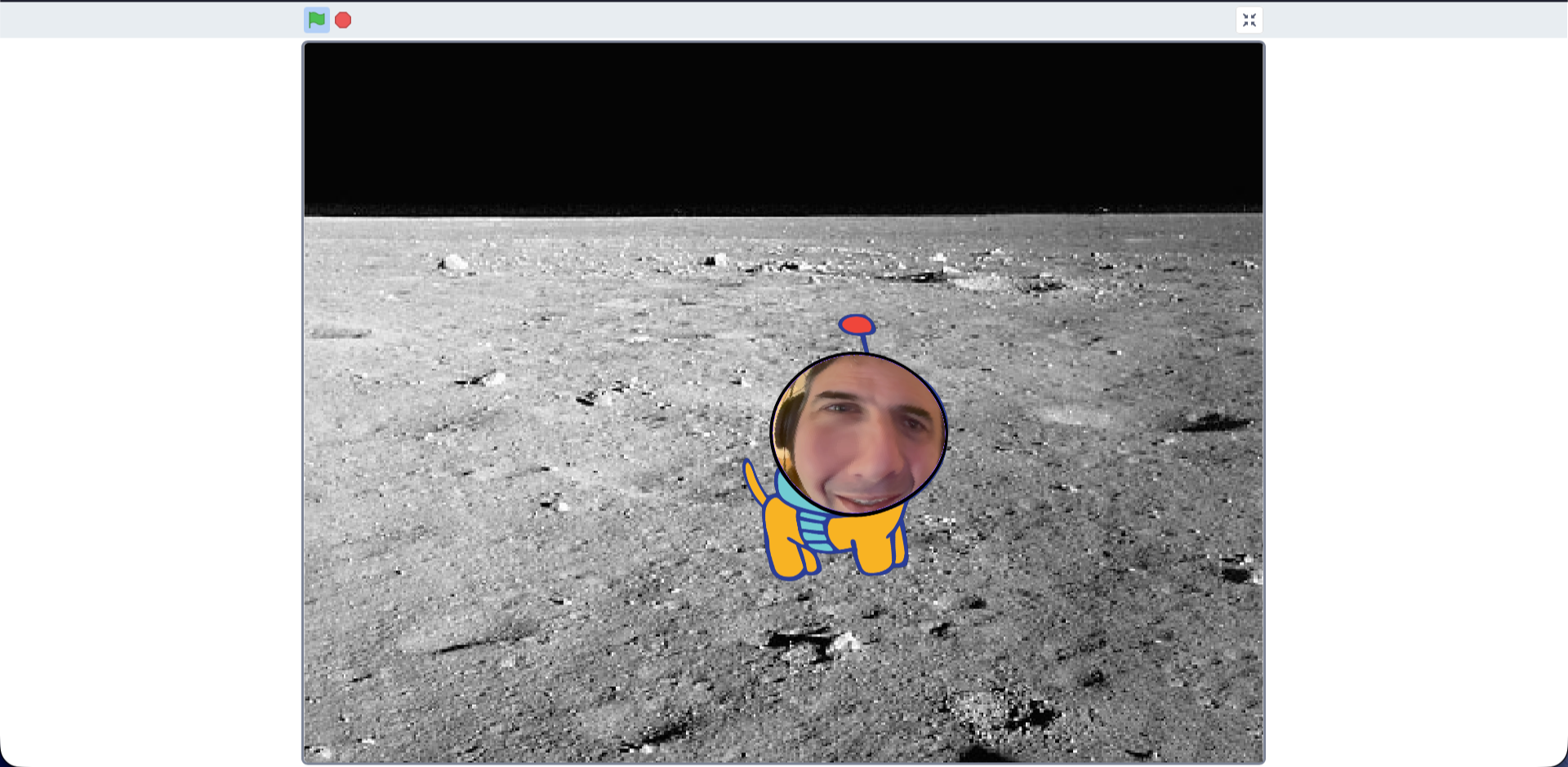
This week we created a cool little game using the web camera on the laptops to replace the characters face
We used the Scratch Labs web based editor as these features are new and not yet added to the main scratch 3 program
We first picked a sprite, we then clicked into the costumes to make some edits
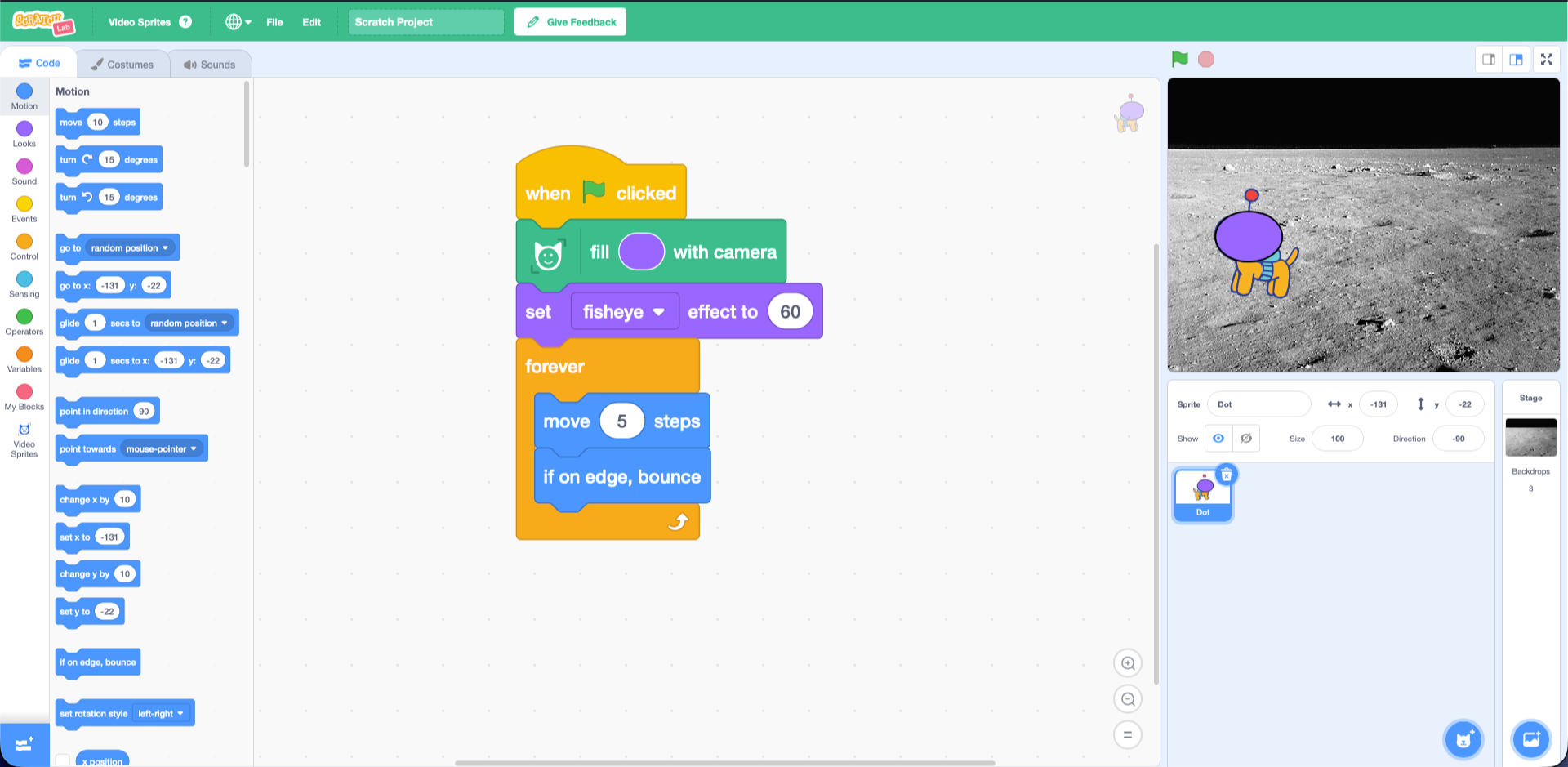
We created a simple oval shape over the sprites head. This is the “Green Screen” that the camera will replace with the camera feed
From the Video sprites section, we added the fill colour with camera
To make this bit more fun, we added the fish eye effect from the looks section
Finally we added a small forever loop to make our sprite move around the screen
Have a look at the full code below along with the link to try it out at home